Email finalized
Use the Email Finalizer to choose pre-call invite or post-call recap, then check the Demo Snapshot so the sent package matches the presented package.
Open Demo SnapshotDemo assets
Use this page before or during a client call to quickly open the Rising Hills demo, presenter notes, client brief, screenshot PDFs, sales decks, and private Hub workflow links.
Monday Go/No-Go Checklist
Use the Email Finalizer to choose pre-call invite or post-call recap, then check the Demo Snapshot so the sent package matches the presented package.
Open Demo SnapshotSend the Client Email Landing Page as the only required pre-call link. Client Instructions are optional supporting context.
Open Email PageRun the readiness gate before sending so public links, protected boundaries, screenshots, and build health are verified.
Run QA commandsOpen Broker Dashboard Presenter Mode before the call so protected screens do not interrupt the walkthrough.
Open Broker DashboardKeep the current public screenshots PDF open in case a live page stalls or the client wants a visual leave-behind.
Open screenshots PDFEnd with first launch idea, follow-up owner, CRM/export path, support tier, and proposal timing.
Open Post-Call RecapMonday Presenter Command Center
Send Control and Client Email Landing Page first.
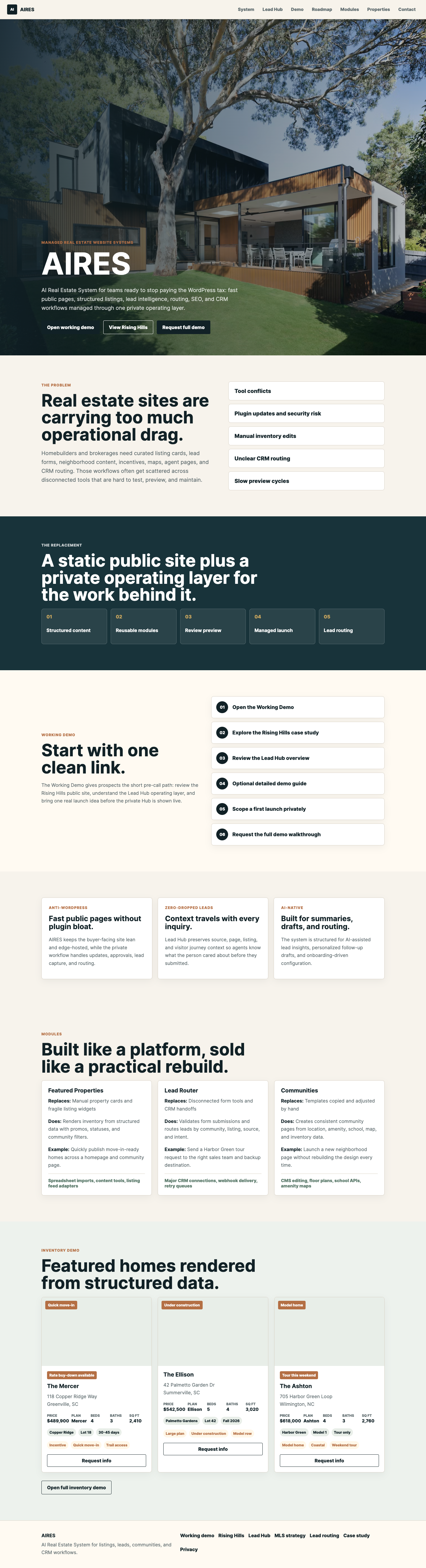
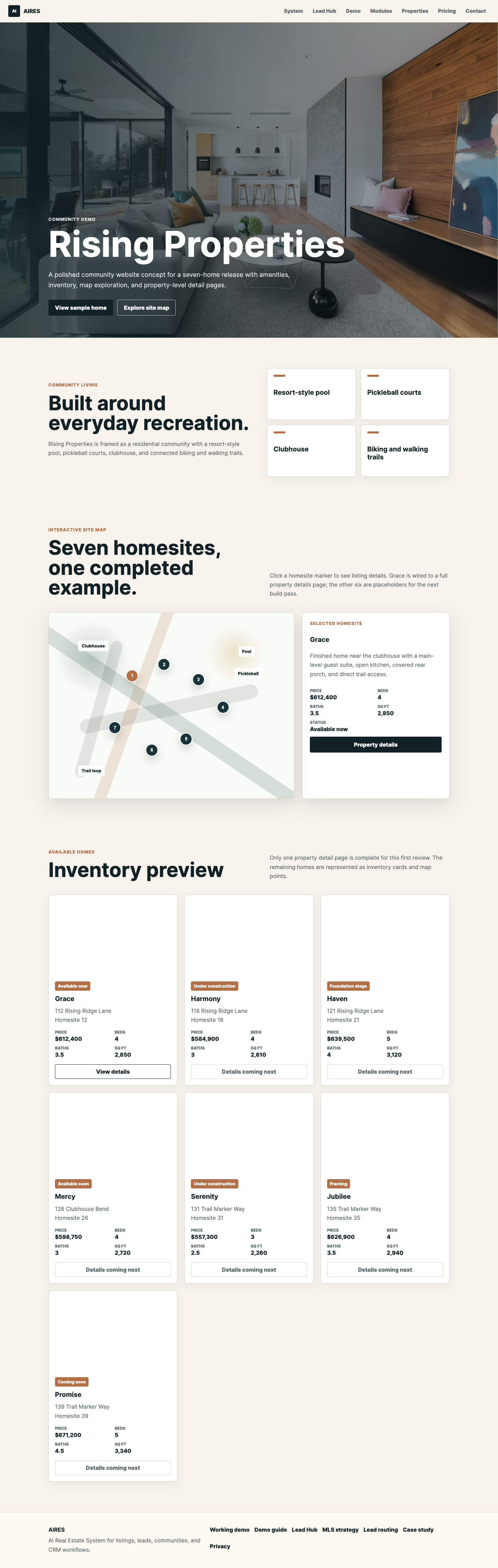
Rising Hills public site, listings, registration, and Lead Hub overview.
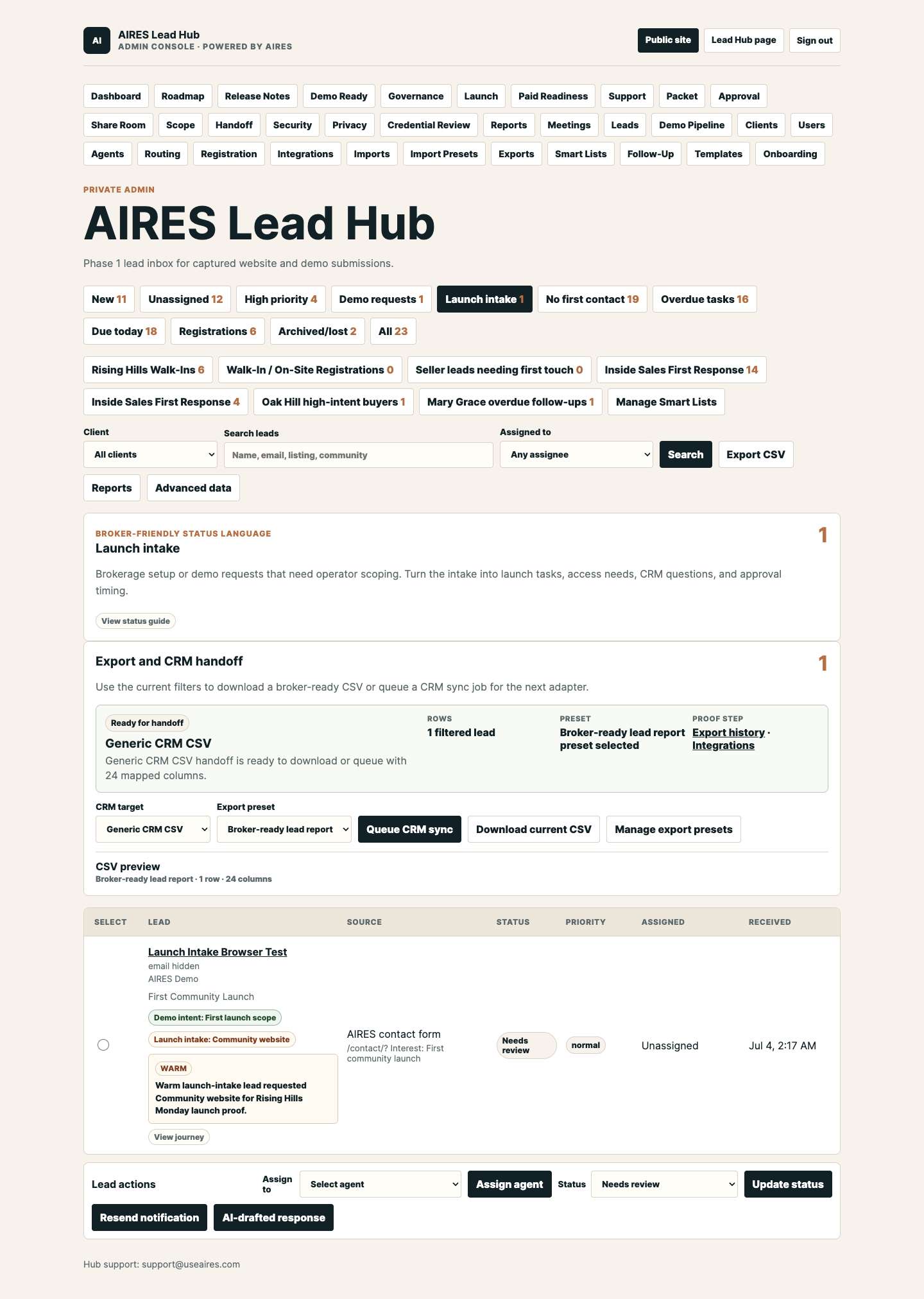
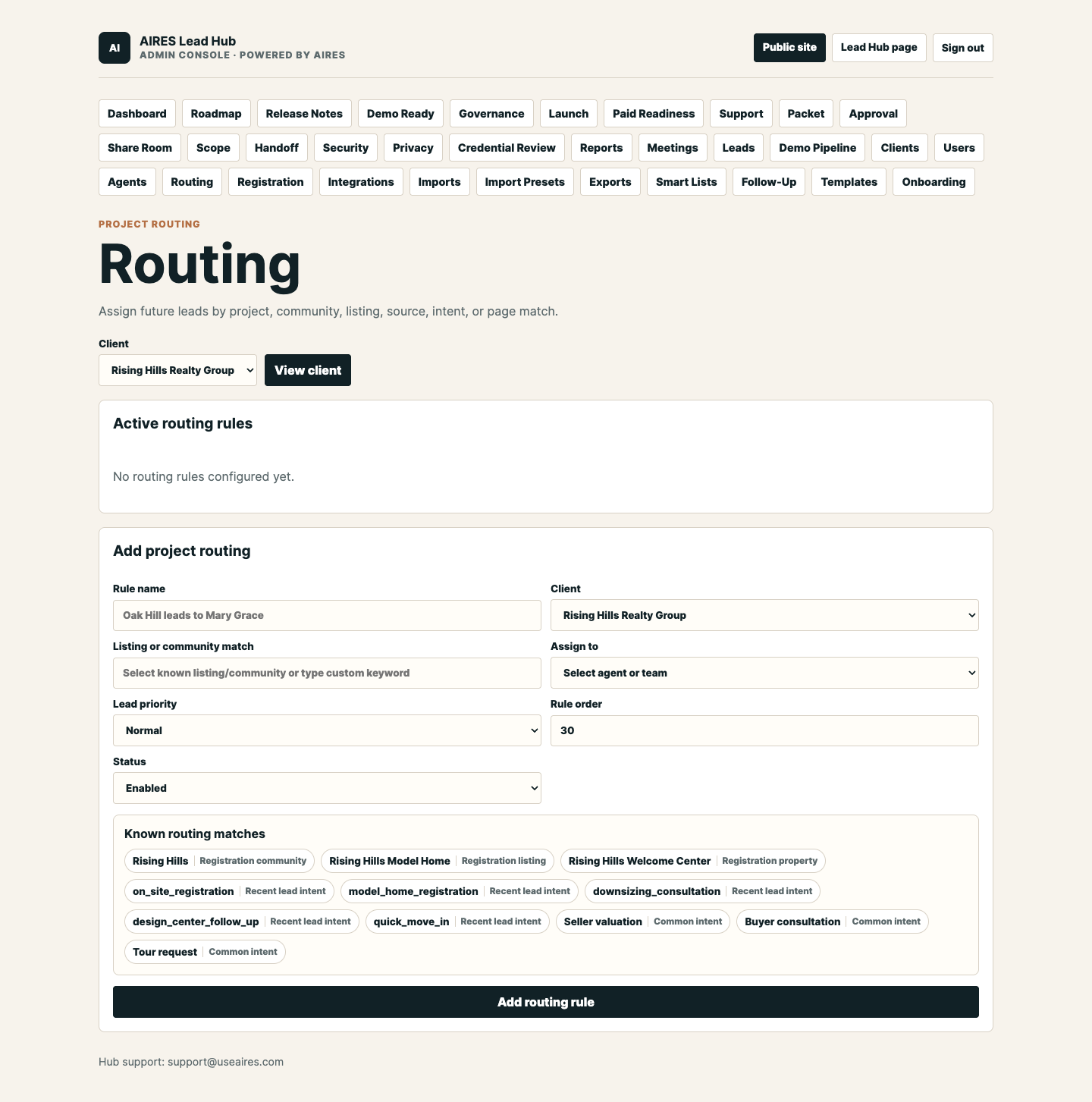
Broker Dashboard Presenter Mode, Lead Inbox, Routing, Smart Lists, Registration, Scope Lock, Meeting Tracker, and Artifact Vault.
First launch idea, owner, CRM/export path, support tier, proposal timing, and proof archive.
Client Email Send Status
Use the Monday outcome panel in Meeting Tracker as the durable Hub record. After the real client email goes out, set the outcome to Client email sent.
Monday demo status
This is a human-readable checkpoint for demo prep. Use the QA commands below as the authoritative live check before sending or presenting.
`pnpm demo:monday:private` passed after the Broker Dashboard Presenter Mode band and refreshed protected PDFs were deployed. The gate verified secret hygiene, public safety, client-ready copy, proposal-default consistency, demo-label safety, auth hardening, client isolation, published demo assets, TypeScript/build, live public/protected links, D1/registration health, registration submit storage, authenticated Hub pages including Broker Dashboard, Launch Wizard, Go-Live Handoff, Launch Artifact Vault, Security Review, Meeting Tracker, Lead Inbox, Smart Lists, Registration, Routing, Hub Users, and Agents, broker CSRF/client-scope proof, broker login/logout, agent login/logout, and the expected agent 403 admin-boundary check.
`pnpm demo:ready` passes with the Working Demo, Monday Send Control, Client Email Landing Page, Monday Demo Link, Monday Presenter Start, Client Demo Guide, public PDFs/images, proposal packet, registration page, and expected protected Hub responses all covered by the live link suite.
`pnpm check:proposal-defaults` is wired into `pnpm demo:ready` so Pricing, Demo Assets, Working Demo, Proposal Builder, and Proposal Print stay aligned around the current success metric, approval timing, next steps, Working Demo route, and First Community Launch contact path.
`pnpm demo:assets -- --groups=front-end --base-url=https://askaires.com` refreshes the public screenshots PDF and deck images when public-page visual or copy changes. Current screenshot and PDF artifacts stay as optional visual backup. No page-count claim is required for the demo path, and outdated page-number references should not be sent as client instructions.
Monday Send Control is the operator start: Client Email Landing Page is the only required client link, Monday Demo Link stays as the primary action/fallback, public screenshots PDF is optional visual backup, and older send helpers stay internal/legacy.
Use the local send-status card on this page only as a browser cue. The durable record is the Monday outcome panel in Meeting Tracker, where Client email sent, Recap sent, Post-call packet sent, Decision Room sent, and Proposal sent are saved to the Hub.
`pnpm demo:health` confirms the Rising Hills registration page returns the live visitor form. A public fallback render remains available if D1 becomes temporarily unavailable.
`pnpm demo:health` confirms registration submit returns success with normal storage. If D1 throws during a future prep check, the form can still return `stored:false` and send the notification path instead of showing a 500.
`pnpm demo:health` confirms the remote D1 query is healthy. Protected Hub pages also have a read-only fallback if Cloudflare D1 has another transient outage during a screen-share.
`pnpm demo:session` confirms Rising Hills broker login/logout, Mary Grace agent login/logout, post-logout protection, agent 403 on admin dashboard, and restricted broker scoping against another client.
`pnpm demo:health` verifies `/admin/dashboard?client_id=client_rising_hills`, `/admin/launch?client_id=client_rising_hills`, and `/admin/smart-lists?client_id=client_rising_hills` return real protected Hub HTML, including Presenter Start Here, Broker View screen-share path, Production Hardening, shared fallback phase-out, and Smart List sharing controls.
`pnpm demo:health` now verifies `/admin/settings/users?client_id=client_rising_hills` returns real protected Hub HTML and includes the Hub Users heading, first-client go-live access plan, and copyable access handoff marker.
`pnpm demo:health` now verifies `/admin/handoff?client_id=client_rising_hills` returns real protected Hub HTML and includes the Client Go-Live Handoff, client review links, protected Hub links, and copyable handoff markers.
`pnpm demo:health` verifies `/admin/artifacts?client_id=client_rising_hills` returns real protected Hub HTML with launch approval, CRM/import proof, access/security, operations exports, and Archive runbook markers.
`pnpm demo:health` now verifies `/admin/security?client_id=client_rising_hills` returns real protected Hub HTML and includes Production Security Review, Live session checks, Formal review, and Private release gate commands.
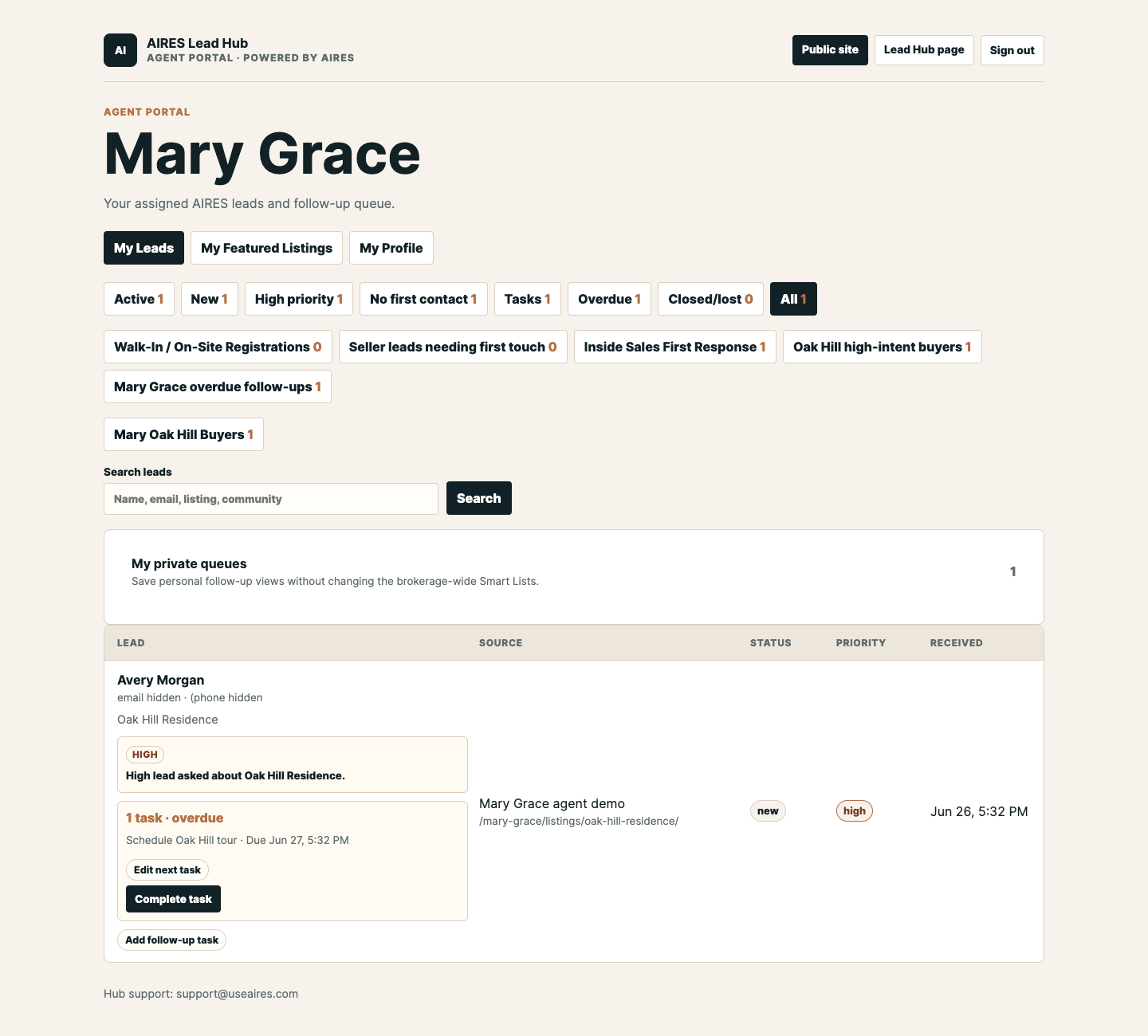
`pnpm demo:assets:private -- --base-url=https://askaires.com --groups=lead-hub,backend` was rerun after the Artifact Vault presenter/archive polish. The Lead Hub and backend PDFs now include the Broker Dashboard Presenter Mode top band, Command Center, Presenter Start Here cockpit, Post-Demo Follow-Up Pipeline, Client Dashboard, Launch Wizard/Broker View, Go-Live Handoff, Launch Artifact Vault, Security Review, Meeting Tracker, Smart Lists with Queue Preview, masked lead inboxes, routing, Hub users, onboarding, and agent portal captures with neutral Rising Hills Visitor labels in fallback visuals.
Published collateral
Generated Jul 20, 4:23 PM. The public front-end PDF is the current visual backup, while the protected Lead Hub and backend PDFs include the Broker Dashboard Presenter Mode top band, Command Center, Post-Demo Follow-Up Pipeline, Meeting Tracker, and Launch Artifact Vault. The recorded website and Hub video gives you a silent walkthrough backup. `pnpm check:demo-assets` validates the current PDFs, video, and deck images before the demo gate passes.
44 pages · 16.8 MB · Updated Jul 20, 4:18 PM
Ready Public front-end screenshots PDF27 pages · 15.5 MB · Updated Jul 20, 4:17 PM
Ready Lead Hub screenshots PDF17 pages · 17.6 MB · Updated Jul 20, 4:24 PM
Ready Backend screenshots PDF16 pages · 16.9 MB · Updated Jul 20, 4:26 PM
Ready Rising Hills PDF brief5 pages · 447 KB · Updated Jul 3, 1:18 PM
Monday send kit
The clean sequence is simple: use Send Control, send the Client Email Landing Page before the call, keep the current screenshots PDF close as optional backup, screen-share the Hub, send Monday Handoff after the walkthrough, and use the CRM Worksheet only when the client is ready to discuss handoff details.
Client Email Landing Page as the required pre-call link.
Client sees Rising Hills, Lead Hub overview, and the real-launch prompt.
Presenter starts from the Broker Dashboard Presenter Mode band, then uses the Command Center and Presenter Start Here cockpit before screen-sharing Launch Wizard, Hub workflows, inbox, Smart Lists, routing, registration, agent view, and Artifact Vault proof archive.
Move into launch intake, decision path, CRM worksheet, proposal packet, and post-call recap.
Send only the Client Email Landing Page as the required pre-call link. It gives the client the short 10-minute path, starts with the Monday Demo Link, and keeps private Hub access out of the first message.
Client Email PageUse this if the client needs a plain-language prep page: one required link, 10-minute review path, no private Hub login, and one launch idea to bring.
Client InstructionsUse this as a soft backup agenda if the client asks what will happen on the call or what they should prepare.
Walkthrough ExpectationsUse this as the last stop before sending: choose pre-call invite or post-call recap, personalize, then copy or open the email draft.
Email FinalizerUse this as the final Monday send surface: subject line, link order, navigation notes, one pre-call invite, one post-demo follow-up, What You Get, Decision Room, CRM worksheet, and the optional current screenshots PDF.
Final Send PacketUse the Client Demo Guide when a client wants the longer review path, detailed feature map, and decision-maker forwarding copy.
Client Demo GuideUse the current screenshots PDF only if a client wants a visual backup or if a page stalls during the call. No page-count claim is required for the demo path, and outdated page-number references should not be sent as client instructions.
Public screenshots PDFOpen the public launch-intake form when the client is ready to turn the demo into a first community, listing, routing, or support scope.
Launch intake formUse the post-demo decision page to recommend Community Launch, Brokerage Growth, or Multi-Community OS, then confirm the approval packet before building the final proposal.
Decision pathSend this after the walkthrough when the client needs one clean page with recap materials, first-launch questions, proposal-track links, and CRM worksheet access.
Decision RoomSend this when the client needs the full value summary and launch package recap as a printable leave-behind.
What You GetUse the recap builder immediately after the walkthrough to send links, confirm decisions, and ask for the launch inputs needed for proposal review.
Recap builderShort copy-ready post-demo email for recapping what they saw, naming the recommended first launch, asking for inputs, and moving into proposal review.
Copy follow-upOpen the protected Broker Dashboard Presenter Mode view after signing in. It gives the presenter the four first-show proof paths before drilling into Command Center depth, Working Demo, Decision Room, Post-Call Recap, Proposal Builder, CRM Worksheet, Meeting Tracker, Monday Send Kit, and Monday Client Send.
Broker Dashboard Presenter ModeOpen the protected Go-Live Handoff after signing in. It shows readiness, blockers, client review links, protected Hub links, and the copyable launch recap.
Go-Live HandoffOpen the protected Launch Artifact Vault after the close path. It organizes approval packets, CRM/import proof, access/security exports, handoff artifacts, and support-ready operations exports in one client archive.
Launch Artifact VaultRun the readiness gate before sending. It checks secret hygiene, client isolation, build health, public assets, and expected protected responses.
QA commandsMonday proposal packet
Use these shortcuts after the client agrees that Rising Hills is a good first-launch model. The builder link is prefilled; the print view is ready for a quick review or PDF save.
Opens the Proposal Builder with the Rising Hills Community Launch recommendation, approval packet, support tier, CRM/export path, access model, and timing already filled in.
Open prefilled builderOpens the printable Rising Hills proposal leave-behind with the current launch package, support package, modules, and approval-packet decisions.
Open print viewUse this page if the client needs to compare Community Launch, Brokerage Growth, and Multi-Community OS before proposal review.
Choose trackFinal Monday client send
This is the clean one-link message: Client Email Landing Page first, Monday Demo Link as the primary action inside it, optional public screenshots PDF, and private Hub screens reserved for the live walkthrough.
Demo prep checklist
Use this as a quick readiness pass so the live demo feels smooth, focused, and intentional.
0 of 7 readyOpen the Broker Dashboard Presenter Mode view before the call so admin and agent screens do not interrupt the walkthrough. Use the dedicated Rising Hills broker-admin demo account, not a forwarded client email.
Check authVerify Maya Bennett, Oliver Kim, Sophia Martinez, and Daniel Price still appear in the Rising Hills event.
Open eventOpen Needs first contact and Overdue so the follow-up accountability story is ready.
Open queueOpen the one-page brief and PDF download before the call ends.
Open briefUse screenshot PDFs if a live protected screen needs a slower, lower-risk explanation.
Open screenshotsOpen the Launch Artifact Vault so approval packets, CRM/import proof, access exports, handoff packets, and support-ready operations exports are ready if the client asks how launch proof is archived.
Open vaultBegin from Rising Hills Client Preview so the broker sees the website value before the protected backend.
Start demo5-minute send flow
Run the check, send the polished public guide, keep private access intentional, then move the conversation into launch scope.
Run `pnpm demo:monday:private` on this machine before presenting, or `pnpm demo:monday` for the public readiness gate. Confirm public links, protected-link behavior, TypeScript, build, source and live client-isolation checks, registration health, D1 health, and session login smoke are green.
Open Monday Send Control, copy the pre-call client email, and send only the Client Email Landing Page as the required link. The Monday Demo Link stays inside that page as the primary action or fallback, while private Hub credentials and protected shortcuts stay out of the first message.
Open the launch-intake form as the public next-step path after the client reviews Rising Hills, the Lead Hub overview, and the brief.
Use the Run Sheet and Demo Assets shortcuts to open Rising Hills, Broker Dashboard Presenter Mode, Command Center depth, Launch Wizard, Production Hardening, Lead Hub, registration, agent queue, launch-intake form, Artifact Vault, and Proposal Builder.
Show protected screens live. If auth slows the call, use the sanitized screenshot PDFs and keep the story moving.
Use the client follow-up email, recap builder, launch intake email, First Launch Plan, and Proposal Builder while the client pain is fresh.
Primary walkthrough
These assets tell the clean story without exposing a pile of older helper pages. Start with Send Control, then use the client start page, presenter page, and post-call handoff.
Operator command page that locks the clean Monday path: Client Email Landing Page before the call, private Hub guided live, Monday Handoff after context, and older helpers kept internal.
Open send controlThe only required URL to send before Monday. It gives the client one public starting point, the Monday Demo Link as the primary action, and no login burden.
Open client startDirect public demo fallback with Working Demo, Rising Hills, Lead Hub overview, CRM pilot path, and one launch idea.
Open demo fallbackInternal call launcher for the live walkthrough after the client has used the public starting page.
Open presenter startThe single post-call client-safe path through recap, Decision Room, Scope Lock, CRM worksheet if needed, Proposal Review, and First Launch Plan.
Open handoffUse only after the first launch, owner, support tier, access model, CRM boundary, and success metric are specific.
Open proposal reviewThese pages stay available for compatibility, QA, and operator reference. They should not be sent as a bundle to a client.
Client-only entry page with the short review path, Working Demo start, Rising Hills, Lead Hub overview, optional PDF, and no internal controls.
Open demo linkInternal send station with the exact client email, final client send checklist, required Client Email Landing Page, Monday Demo Link primary action, optional public PDF, presenter prep checklist, and after-call close path.
Open send pagePaste-ready Gmail copy for Monday with the final client send checklist, Client Email Landing Page first, optional direct demo link, optional current screenshots PDF, and no private Hub access.
Open send emailInternal readiness page with the current AIRES site and Hub status, live capability map, remaining hardening work, Monday demo flow, and time-to-completion estimate.
Open status briefClient-safe URL that mirrors the Monday pre-call email: one prep link, Monday Demo Link primary action, 10-minute prep, what-to-notice checklist, feature summary, walkthrough expectations, and safe supporting links.
Open email pageClient-safe agenda page that explains what will be shown live, what to bring, and why no private Hub login is needed before the call.
Open agendaClient-safe invite page with the exact pre-call email, one required Client Email Landing Page, Monday Demo Link primary-action framing, 10-minute review instructions, and no protected Hub shortcuts.
Open inviteClient-safe prep page with one required demo link, copy-ready instructions, the 10-minute review path, what will be screen-shared live, and what launch example to bring.
Open instructionsFinal send-now email builder with pre-call invite and post-call recap modes, personalization fields, clean client-safe links, and no private Hub shortcuts.
Open finalizerFrozen internal package page with the exact one-link client path, presenter order, QA proof, fallback collateral, and post-call follow-up links.
Open snapshotClient-safe email generator with the public demo links, clean navigation instructions, and no protected Hub shortcuts.
Open send kitFinal client-safe send surface with subject line, link order, navigation notes, pre-call invite copy, post-demo What You Get follow-up, the current screenshots PDF, and clear instructions for what to send before and after the walkthrough.
Open final packetOne-screen operator launchpad for Monday: exact tabs, talk track, proof beats, close questions, and after-call actions.
Open start pagePrintable one-page call runner for the frozen Monday package: open tabs, 20-minute flow, proof points, close questions, and after-call actions.
Open checklistClient-ready one-link starting point for Monday: view Rising Hills, review the Lead Hub, and understand that the private Hub will be screen-shared live.
Open working demoInternal-only version of the same page with the send checklist, presenter tabs, and copy-ready email revealed by the query string.
Open presenter modeInternal timed talk track for the 20-minute call: what to say, what to click, how to handle objections, and how to close into first-launch scope.
Open live scriptInternal send/playbook page that separates public client links from guided protected Hub screens and credential rules.
Open handoffInternal 20-minute talk track with pre-call tabs, timing, fallback moves, close questions, and post-call actions.
Open run sheetClient-shareable one-link starting point with the Monday review path: view Rising Hills, review the Lead Hub, and bring one real launch idea.
Open guideClient-safe post-demo page that gathers recap links, proposal-track choices, CRM worksheet, first-launch checklist, and decision questions into one follow-up link.
Open decision roomClient-safe leave-behind summarizing the public website, private Lead Hub, routing, agent portals, broker dashboard, launch support, CRM/export path, and roadmap in one printable page.
Open recapStart here for the public review path: community site, registration form, Lead Hub overview, and client brief.
Open previewStep-by-step talk track, proof points, objections, and closing ask for a broker demo.
Open notesA one-page shareable Rising Hills brief for after the call.
Open briefDownloadable one-page PDF version of the Rising Hills demo brief.
Download PDFClient-facing scope template for turning intake answers into the first AIRES community launch.
Open planUse after the walkthrough to choose Community Launch, Brokerage Growth, or Multi-Community OS, build the approval packet, and draft the follow-up email before building the proposal.
Choose trackCopy-ready follow-up utility for summarizing the walkthrough, confirming the approval packet, and asking for proposal inputs.
Write recapCollect current CRM, field map, routing ownership, export sample, credential path, and day-one handoff before scoping sync.
Open worksheetInteractive sales utility for turning package, support, module, and timeline choices into a proposal summary.
Build proposalPre-send QA
These commands keep the Monday links and screenshot assets honest before a client sees them.
pnpm demo:mondayRun this before sending or presenting. It chains full readiness, live health checks, and optional signed-in smoke coverage when the local auth environment is already prepared.
pnpm demo:monday:privateRun this from Jackson's machine before the live walkthrough. It uses the private local auth setup, enables the signed-in Hub health sweep, checks the Rising Hills broker-demo and Mary Grace agent portals, and keeps passcodes out of source and client email.
pnpm demo:readyRun this first before a client send. It checks secret hygiene, public-page polish, auth/client isolation guardrails, published screenshot PDF page counts and image assets, TypeScript, the Astro build, and live Monday demo links.
pnpm check:proposal-defaultsRun after proposal, pricing, or demo-link copy changes. It verifies Demo Assets, Proposal Builder, Proposal Print, Working Demo, and Pricing all use the current success metric, approval timing, next steps, Working Demo route, and First Community Launch contact URL.
pnpm check:demo-assetsRun after screenshot or PDF refreshes. It verifies the published front-end, Lead Hub, backend, and Rising Hills PDFs have the expected page counts and that the public deck images are present and non-trivial.
pnpm demo:links -- --base-url=https://askaires.comRun before sending the client guide. Public pages/files should return 200, and protected Hub shortcuts should return expected auth responses.
pnpm demo:health -- --base-url=https://askaires.comRun before Monday. It checks the D1 registration query, public registration form, registration submit behavior, protected Hub boundary, and can verify signed-in Hub pages, including Broker Dashboard Presenter Mode, Command Center, Broker Launch Wizard, Client Go-Live Handoff, and Hub Users access plan, when signed-in auth is available.
pnpm demo:monday:privateRun from this machine with the private local auth setup. It confirms key protected Hub pages render real admin screens, including Broker Dashboard Presenter Mode, Command Center, Presenter Start Here, Launch Wizard Broker View, production hardening, and Hub Users access handoff, and are not in read-only fallback mode.
pnpm demo:monday:privateRun from this machine with the Rising Hills broker-demo and agent credentials loaded privately. It verifies account login/logout, authorization boundaries, and restricted broker client scoping while keeping real logins out of command history and client-facing artifacts.
pnpm demo:assets -- --groups=front-end --base-url=https://askaires.comRun after public-page visual or copy changes so the screenshot PDF and deck images match the live site and current client-facing walkthrough language.
pnpm demo:assets:privateRun after Hub/Admin changes from this machine with the private local auth setup. The generator masks emails and phone numbers while preserving support@useaires.com and includes Broker Dashboard Presenter Mode, Command Center, Presenter Start Here, Client Dashboard CRM readiness, Launch Wizard Broker View, Go-Live Handoff, Launch Artifact Vault, Security Review, Smart Lists, and agent portal captures.
Post-call follow-up
Use this after a broker call to send the Rising Hills recap, brief, PDF, and next-step framing without rewriting from scratch.
Discovery checklist
Use this as the next-call intake path for turning a demo into the first scoped AIRES community launch.
Name, market, neighborhood positioning, launch goal, and any must-show local story.
Logo, colors, fonts if available, photography style, tone, and required compliance language.
Names, emails, phone numbers, roles, headshots, bios, and which agents should have portal access.
Zillow, Homes.com, Realtor.com, or brokerage links plus the custom hook each agent wants featured.
Which leads go to which agent, team, project, fallback owner, or broker admin.
Open house, model home, QR code, event schedule, consent copy, and required visitor questions.
Current CRM, API availability, CSV format needs, notification emails, and import/export expectations.
Target launch date, approval path, support package, enabled modules, and immediate next milestone.
Client intake email
Send this after a strong demo so the broker knows exactly what to gather for the first AIRES community launch.
Hub workflow shortcuts
Demo link health
Sales pages
PDF and video collateral